Open-source cold emailing software for marketers

Outreach Studio is an open-source outreach software that helps marketers keep in touch with their contacts and manage outreach campaigns at scale.

Currently in private alpha. Sign up to get updates about our progress and be the first to try it out. Updates are sent once every 1-2 months.

UpdatesFeaturesAbout

Leads labels and triggersfeature

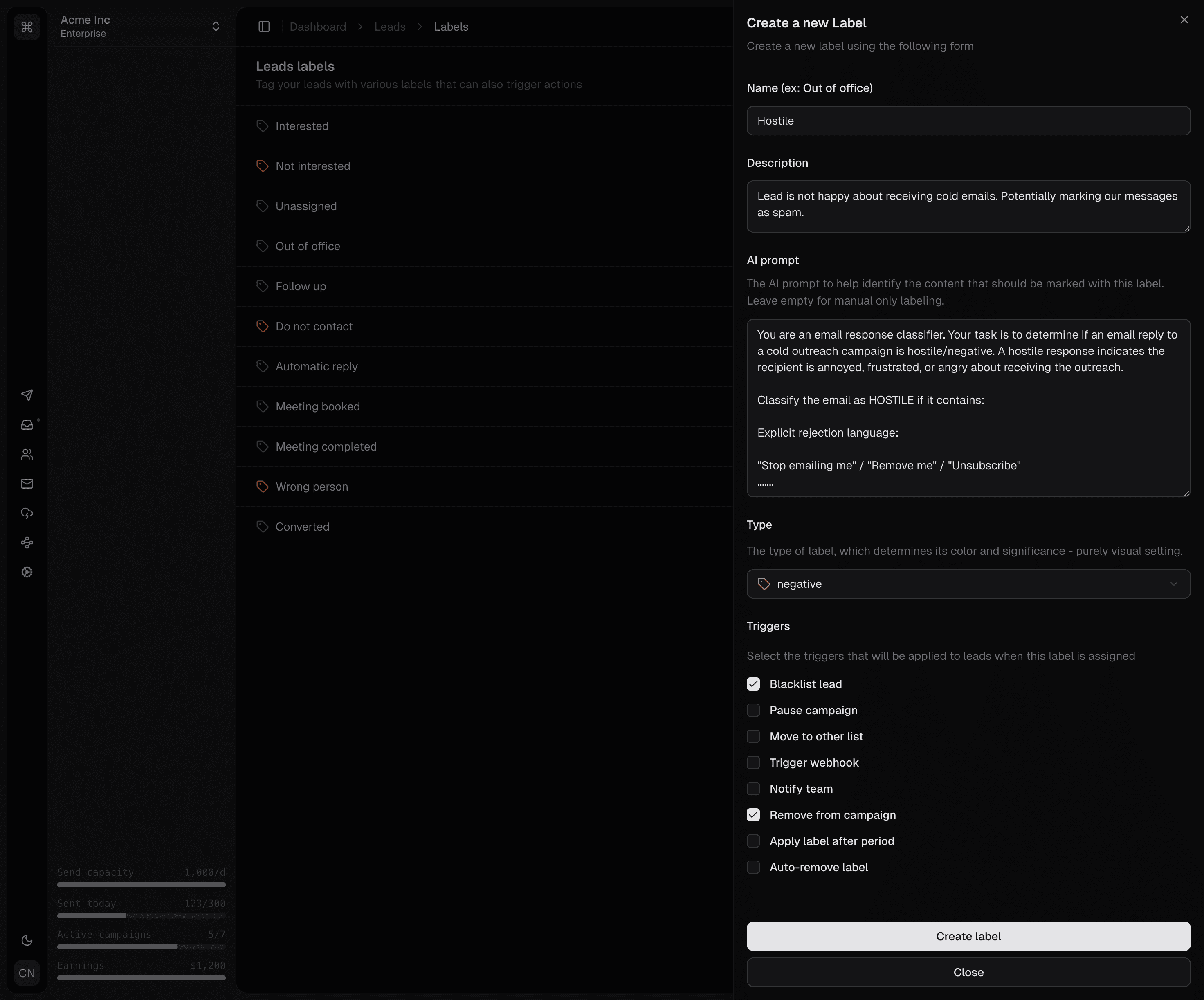
I'm thrilled to announce that I've just implemented labels for leads in OutreachStudio! This new feature allows you to categorize and organize your leads more effectively but this is not where we stop. Labels can also be used as triggers for automations, enabling you to create more dynamic and responsive campaigns.
Campaign sending indicator

Each label has a selectable set of triggers that can run automations when applied to a lead. For example, you can set up an automation to notify your sales team via Slack whenever a lead is labeled as "Interested". This way, your team can respond promptly to potential opportunities.

You can also create automations that change the status of leads based on their labels. For instance, if a lead is labeled as "Follow up later", you can set up an automation to move them to a specific sequence or send them a reminder email after a certain period.

The label can be applied automatically by AI analyzing the replies, or manually by you. The AI prompt is provided by you, the user, so you have full control over how the labels are assigned.
Campaign leadsfeature

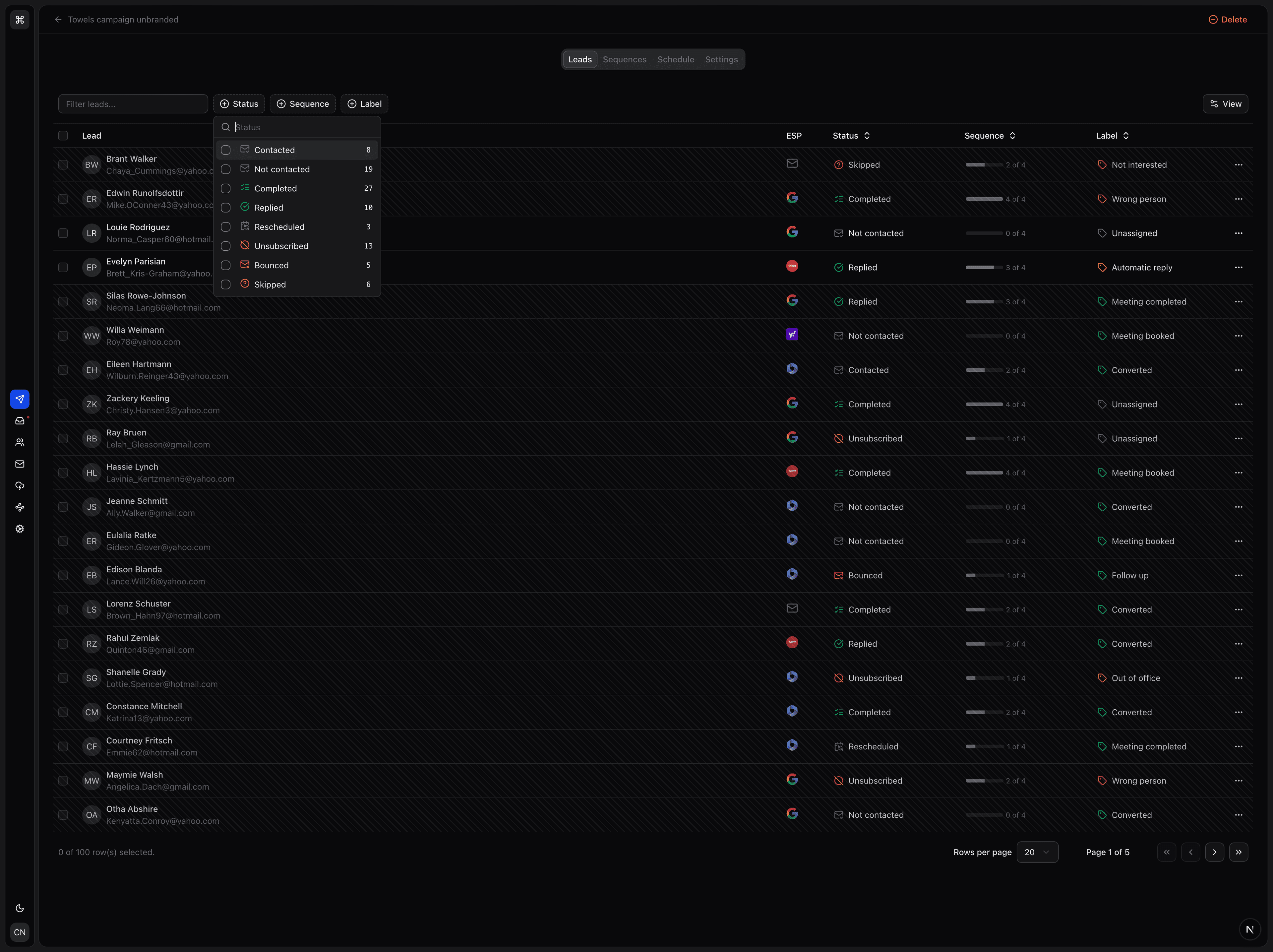
Today I finished the campaign leads page, which allows you to see all the leads associated with a specific campaign. You can filter by status/label/sequence/ESP, search by name or email, and sort by different columns. You can also select multiple leads and perform bulk actions, such as changing their status or deleting them.

Each lead has a sequence progress so you can see how far they reached and what their current status is by looking at the labels. Labels can be applied automatically by letting AI analyze the replies, or manually by you. Some labels are sequence terminating, such as Interested or Unsubscribed, while others are just for your own organization, such as Follow up later, Automatic reply, Out of office.

These labels will have their own page soon as they will be treated as triggers for automations. For example, you could create an automation that moves all leads labeled as Interested to a new sequence, or sends a notification to your team via Slack, webhook or email.

Animated sending indicatorfeature

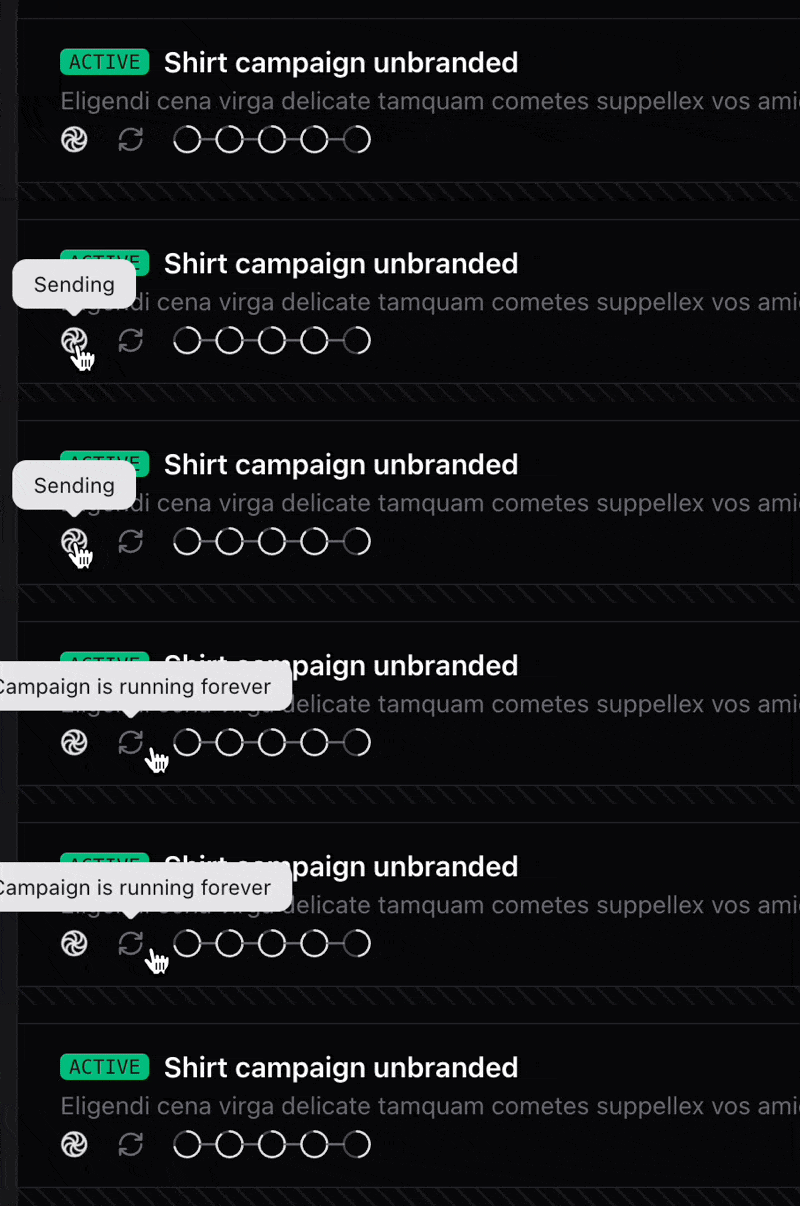
I am not a fan of too much animation taking place in my dashboard unless it is really necessary. However, I find this one icon in particular to be quite useful given the fact that, when all goes well, all we care about is if our campaign is sending or not.

Campaign sending indicator

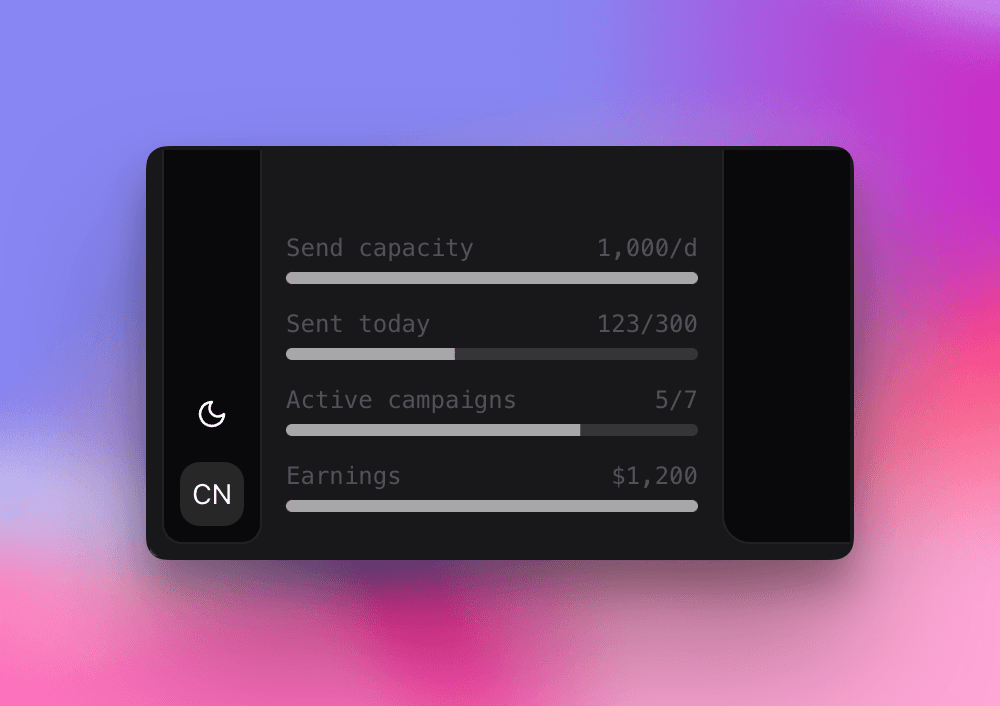
Sidebar app stats widgetfeature

There are a lot of moving parts inside a campaign. Sending statuses, errors, bottlenecks, sending windows, delays, deadlines and so on. Finding the cause of a problem can sometimes be tricky so how about we make it easier to see, at a glance, what the overall status of a campaign is for each of these dimensions?

Campaign status icons

Light and dark-themesfeature

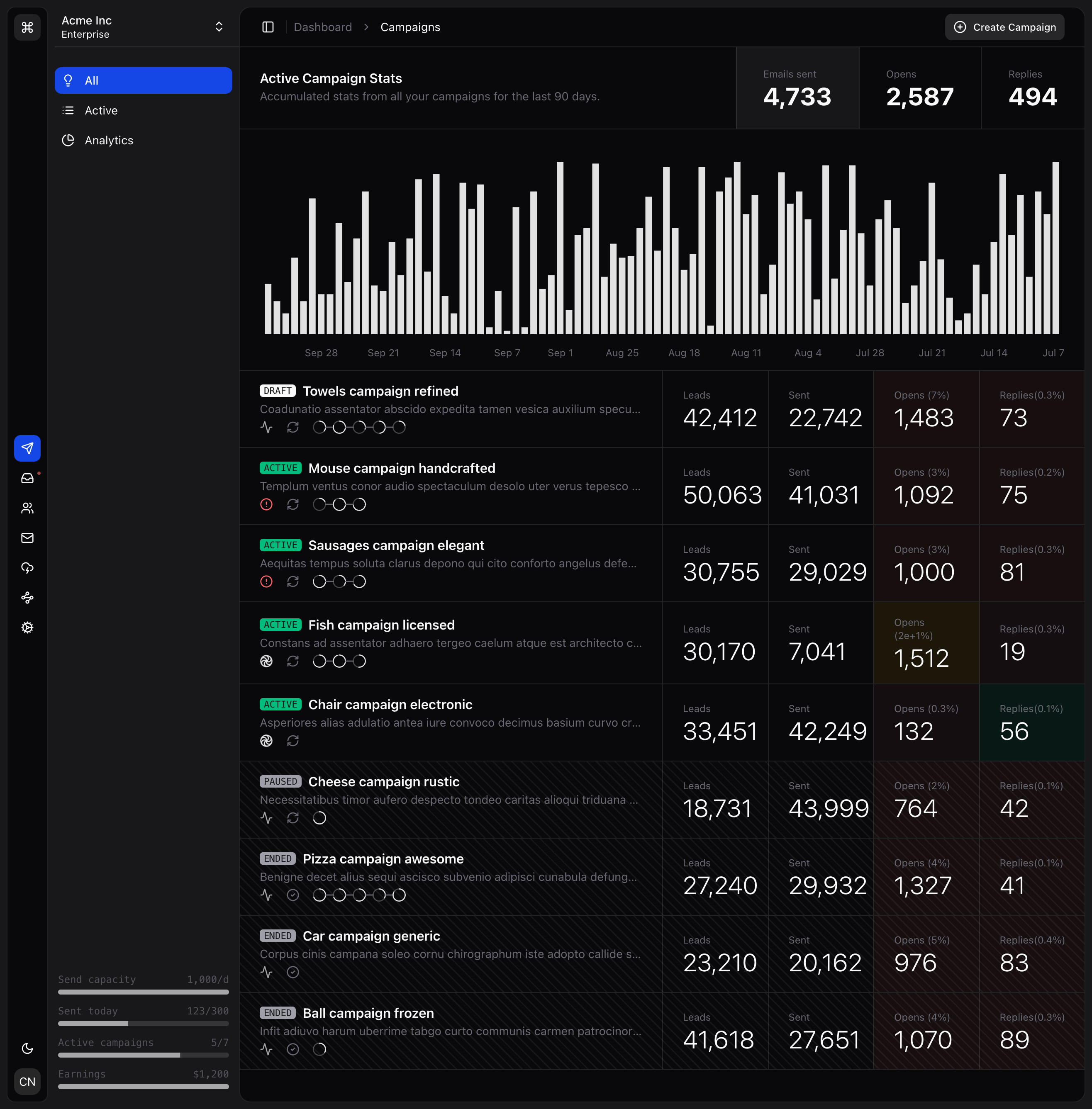
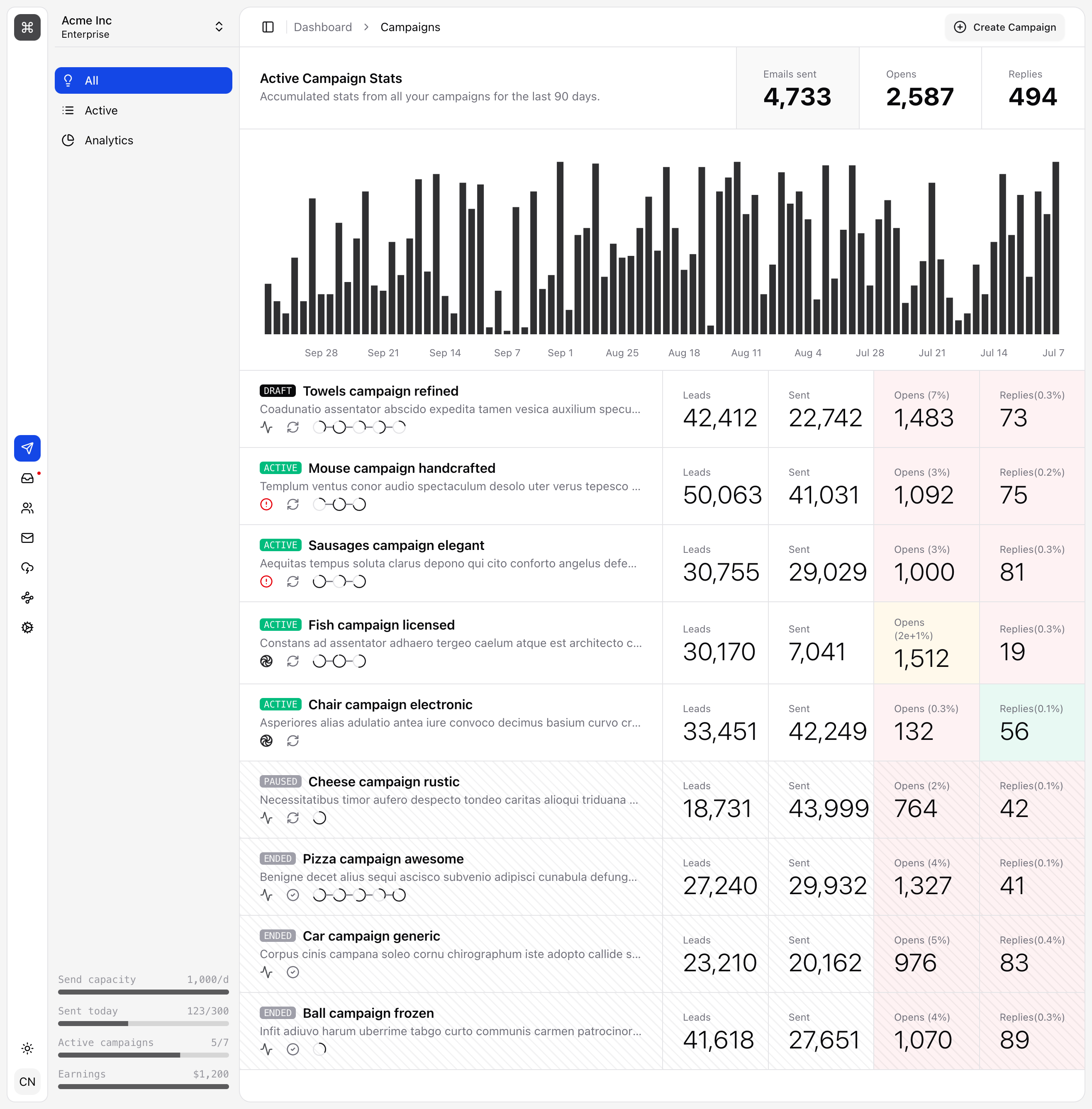
Just finished setting up the light/dark themes variables. The theme switch can be toggled manually or left on the System option to follow your OS preference.

Dark theme
Light theme

The overall look an feel is trying to emulate a minimalist style using just 2 accent colors and the usual ones (primary, destructive, positive, warning). I'm a big fan of ShadCN and this app is built using that component library.